
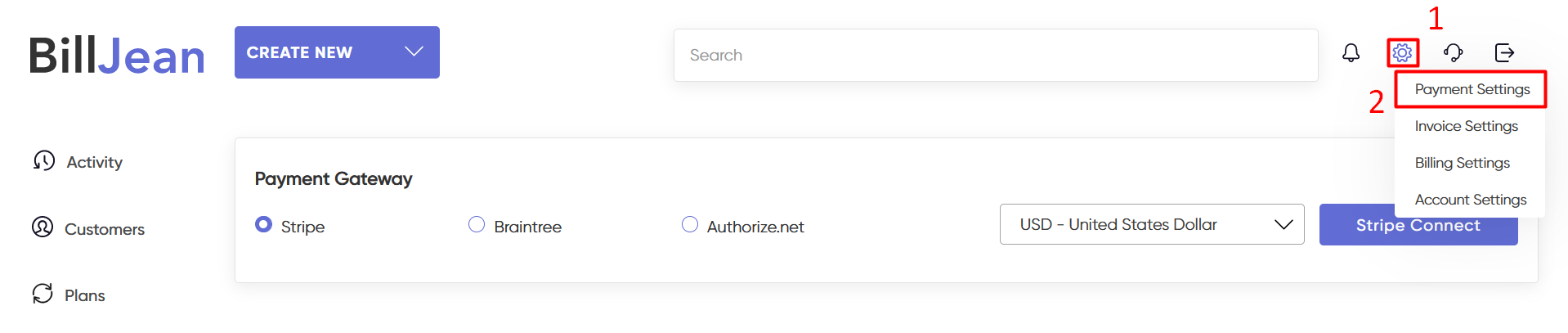
Step 1 – Login to BillJean. Hover the ‘settings’ at the top right corner.
Step 2 – Click on ‘Payment Settings’
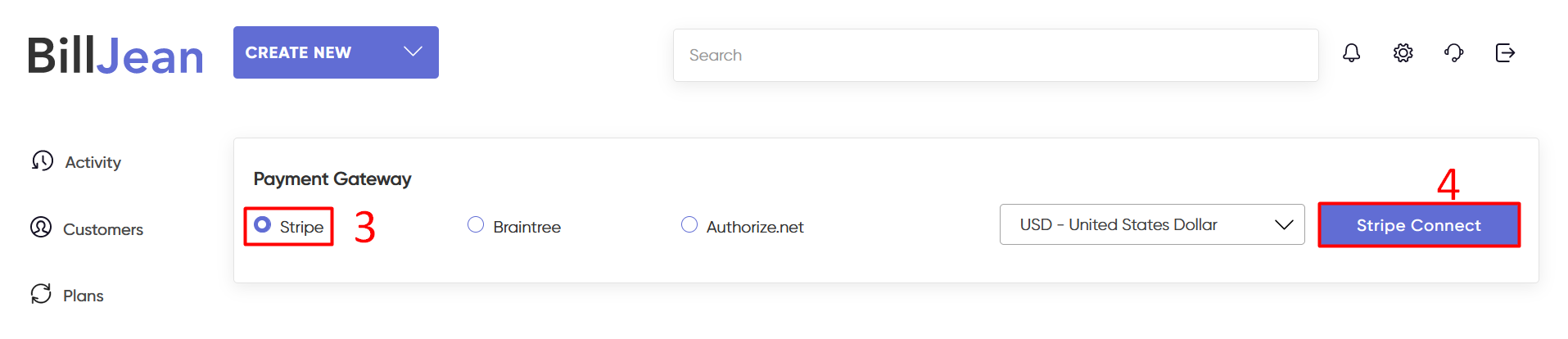
Step 3 – Select ‘Stripe’ payment gateway
Step 4 – Click on ‘Stripe Connect’ button.
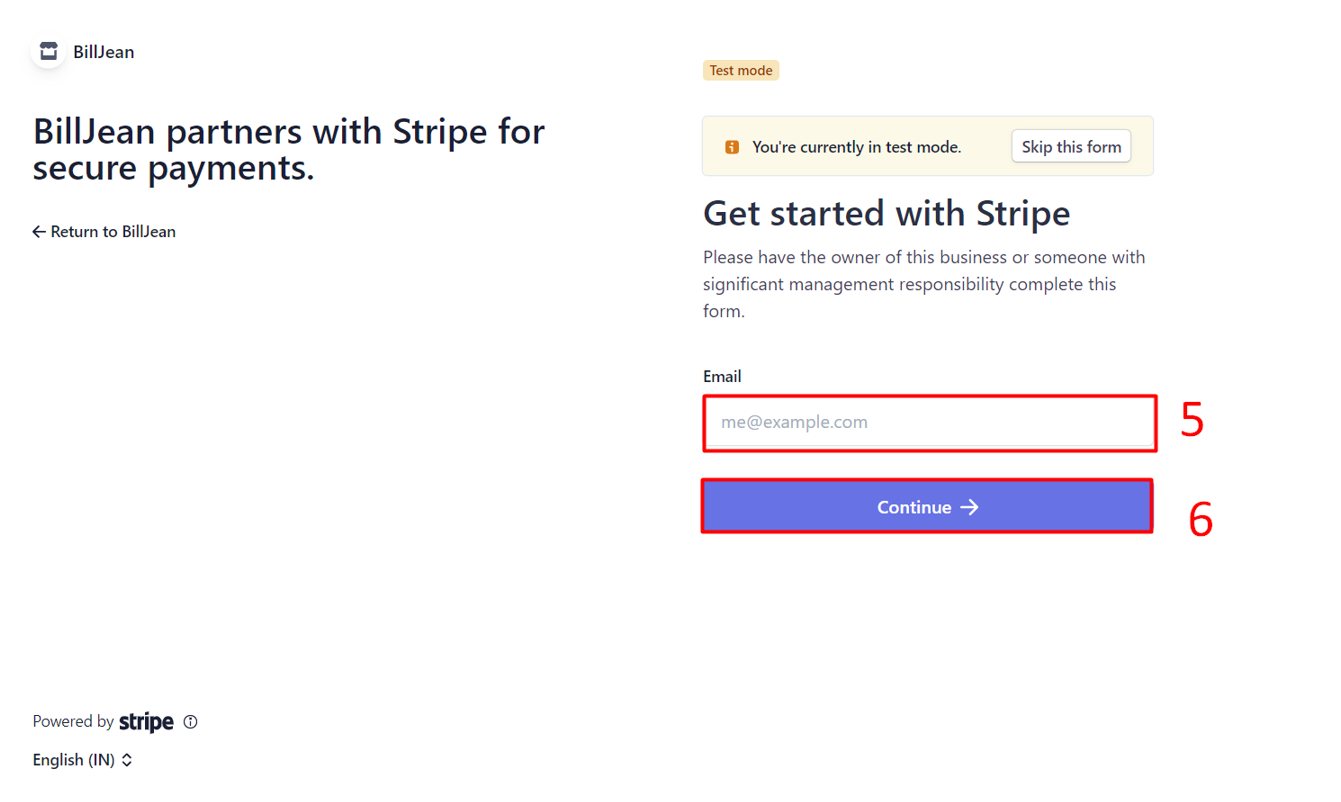
Step 5 – Enter your stripe account email.
Step 6 – Click on ‘Continue’ button.
Please feel free to reach out to us if you have any questions on team@billjean.com